Diagram text in, a native SwiftUI view out.
DiagramKit reads Mermaid, PlantUML, D2 and DOT, and your users can pinch, pan, tap and export the result.
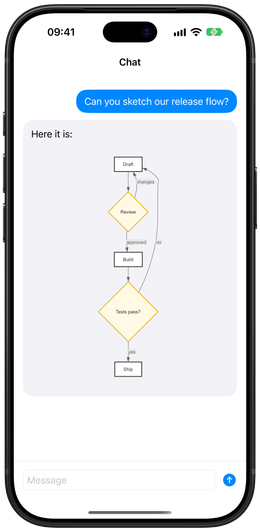
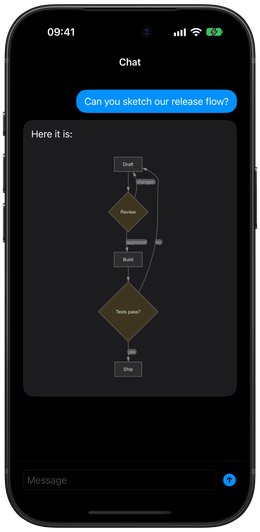
▸ Rendered release-flow.mmd, layout dot, 5 nodes, 6 edges
Tap a box.
onElementTap .node(id: "review", label: "Review")
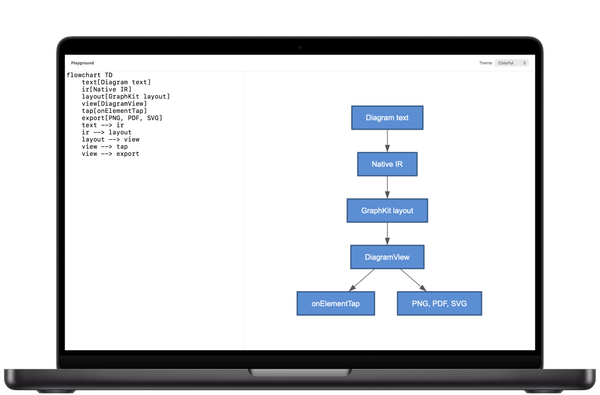
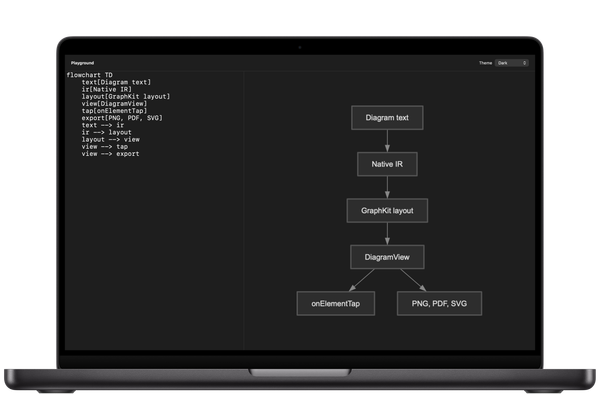
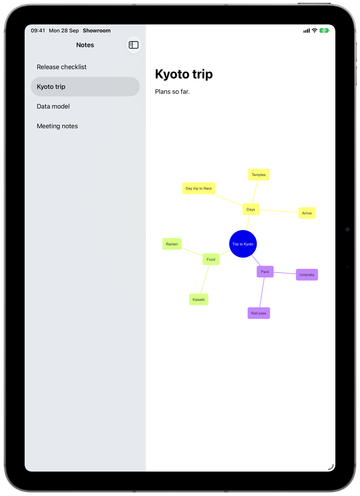
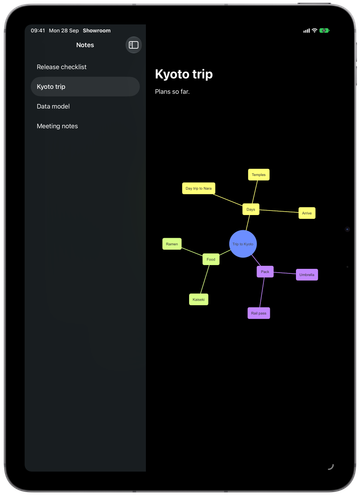
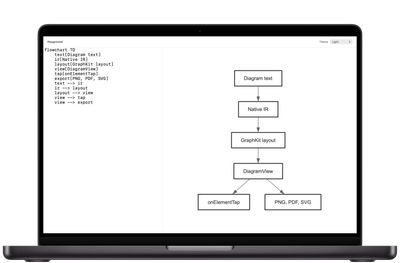
The phone runs DiagramKit’s own SVG export, so you can tap it here. The Mac and iPad are captures of real apps built with DiagramKit.
Whatever your users paste
DiagramKit detects the dialect, so one view handles all four.
Mermaid
flowchart TD
    text[Diagram text]
    ir[Native IR]
    layout[GraphKit layout]
    view[DiagramView]
    tap[onElementTap]
    export[PNG, PDF, SVG]
    text --> ir
    ir --> layout
    layout --> view
    view --> tap
    view --> export
The direction goes in the header: TD is top down.
PlantUML
@startuml
rectangle "Diagram text" as text
rectangle "Native IR" as ir
rectangle "GraphKit layout" as layout
rectangle "DiagramView" as view
rectangle "onElementTap" as tap
rectangle "PNG, PDF, SVG" as export
text --> ir
ir --> layout
layout --> view
view --> tap
view --> export
@enduml
Every diagram sits between @startuml and @enduml.
D2
text: Diagram text
ir: Native IR
layout: GraphKit layout
view: DiagramView
tap: onElementTap
export: PNG, PDF, SVG
text -> ir
ir -> layout
layout -> view
view -> tap
view -> export
No header. A colon labels a shape, and -> draws an edge.
DOT
digraph {
    text [label="Diagram text"]
    ir [label="Native IR"]
    layout [label="GraphKit layout"]
    view [label="DiagramView"]
    tap [label="onElementTap"]
    export [label="PNG, PDF, SVG"]
    text -> ir
    ir -> layout
    layout -> view
    view -> tap
    view -> export
}
Graphviz’s own language, with attributes in square brackets.
Each dialect keeps its own defaults, so DOT draws ellipses and D2 draws heavier boxes. The layout underneath is the same.
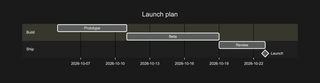
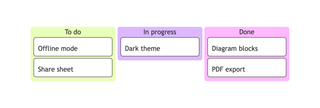
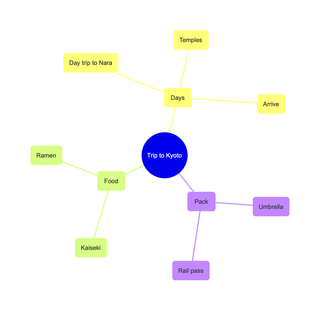
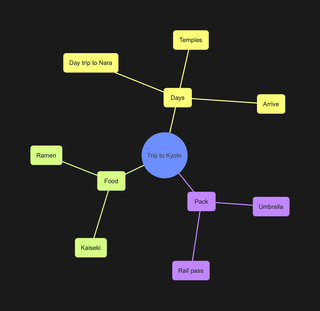
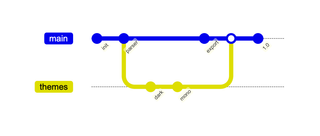
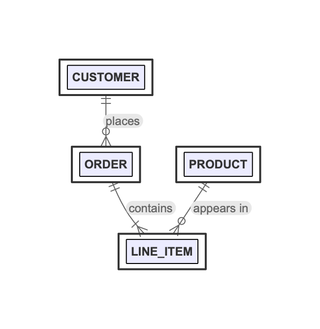
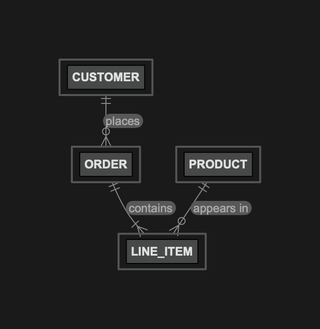
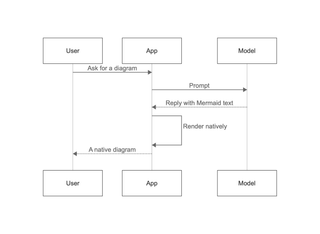
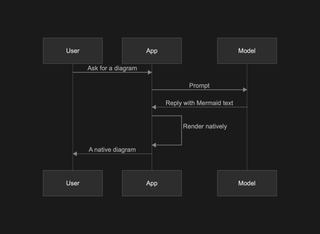
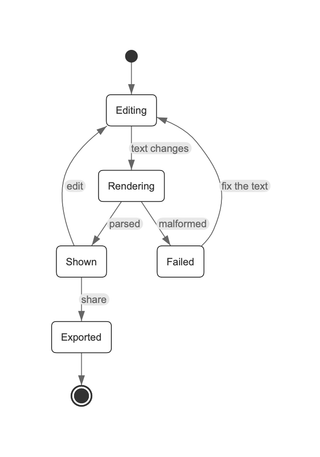
Mindmaps to Gantt charts
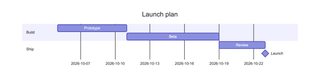
Graphs, charts and timelines come out as native views, laid out with GraphKit or drawn with Swift Charts.
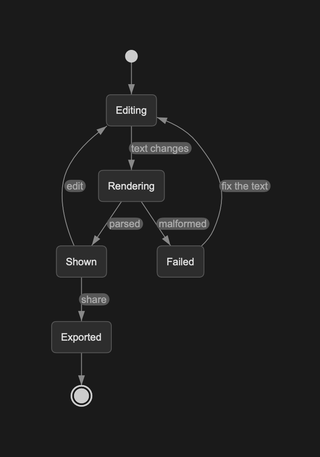
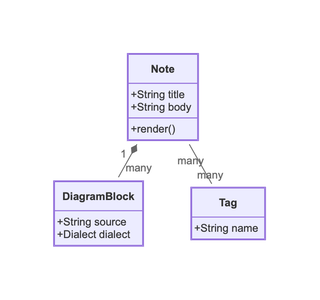
Diagrams are data
Every node, edge, pie slice and Gantt bar comes back to your code as a DiagramElement when it’s tapped. Build drill-downs and navigation on it instead of shipping a picture.
struct PipelineScreen: View {
    @State private var selected: String?

    var body: some View {
        DiagramRenderer(.mermaid(source))
            .onElementTap { element in
                if case let .node(id, _) = element {
                    selected = id
                }
            }
    }
}onElementTap .node(id: "text", label: "Diagram text")
onElementTap .node(id: "view", label: "DiagramView")
Malformed text doesn’t crash the view. .onError hands you the error, and you choose what to show.
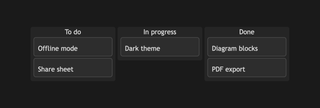
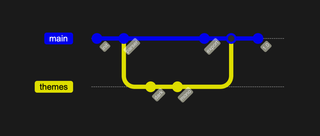
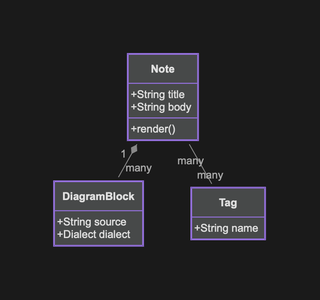
Four themes, or yours
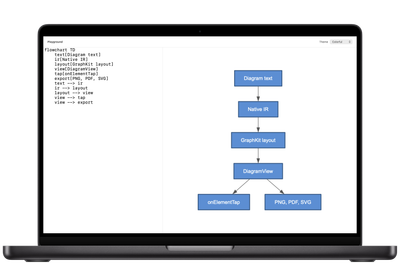
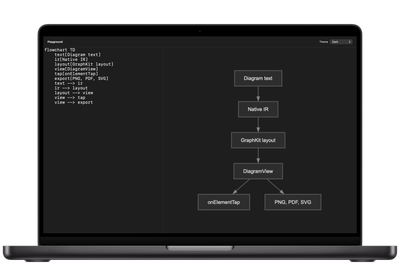
DiagramView(mermaid: source, theme: .monochrome)
You can also pass your own theme conforming to DiagramTheme, or a dialect’s own theme, such as Mermaid’s forest. Themes don’t follow the system appearance on their own; you pick the theme for dark mode.
What it renders
What this edition renders, checked by DiagramKit’s own fidelity benchmark against each dialect’s reference renderer.
| Diagram type | Mermaid | PlantUML |
|---|---|---|
| Flowchart | Supported | Not in this dialect |
| Sequence | Supported | Supported |
| Class | Supported | Partial |
| State | Supported | Partial† |
| Entity relationship | Supported | Supported |
| C4 | Supported | Supported |
| Mindmap | Supported | Supported |
| Git graph | Supported | Not in this dialect |
| Requirement | Supported | Not in this dialect |
| Block | Supported | Not in this dialect |
| Kanban | Supported | Not in this dialect |
| Architecture | Partial | Not in this dialect |
| ZenUML | Partial | Not in this dialect |
| Packet | Partial† | Not in this dialect |
| Use case | Not in this dialect | Supported, provisional |
| Component | Not in this dialect | Supported |
| Deployment | Not in this dialect | Partial† |
| Activity | Not in this dialect | Supported |
| Object | Not in this dialect | Supported |
| Work breakdown structure | Not in this dialect | Supported, provisional |
| JSON and YAML | Not in this dialect | Supported |
| Pie chart | Supported | Not in this dialect |
| Timeline | Supported | Not in this dialect |
| User journey | Supported | Not in this dialect |
| Quadrant chart | Supported | Not in this dialect |
| Radar chart | Supported | Not in this dialect |
| XY chart | Supported | Not in this dialect |
| Gantt | Supported | On request |
| Sankey | On request | Not in this dialect |
| Treemap | On request | Not in this dialect |
| Timing | Not in this dialect | On request |
| Salt (wireframes) | Not in this dialect | On request |
| Network (nwdiag) | Not in this dialect | On request |
| ArchiMate | Not in this dialect | On request |
| Ditaa | Not in this dialect | On request |
| EBNF and regex | Not in this dialect | On request |
| Chen EER | Not in this dialect | On request |
- Supported (✓): renders correctly, close to the reference.
- Partial: renders, with visible differences from the reference.
- † Provisional: fewer than four scored samples.
- Charts and Gantt are drawn with Swift Charts.
- On request: not in this edition; built when a customer asks for it.
D2 containers, styled shapes, sql_table and class shapes. Raw Graphviz DOT goes straight to GraphKit, clusters included.
Why native
The usual way to show Mermaid in an app is a web view running mermaid.js. That puts a JavaScript runtime you don’t control inside your app, and a bundled script to keep current. Output can be hard to read in dark mode.
DiagramKit parses the source into a native model and lays it out with GraphKit, using Graphviz’s dot, neato, fdp and circo engines. What your users get is a SwiftUI view. It takes your theme, answers taps, and exports PNG, vector PDF and SVG.
PlantUML and D2 go through the same path, so there’s no second renderer to ship.
Requirements
- Platforms
- iOS 17, macOS 14 and visionOS 2.4, or later
- Hardware
- Apple silicon. Simulator builds need an Apple silicon Mac.
- Delivery
- An xcframework and a Swift package, from your download link after purchase
- Layout
- GraphKit, included
Not supported: Intel Macs, x86_64 simulators and CI runners, Mac Catalyst, watchOS, tvOS.
License
DiagramKit includes GraphKit, licensed for use inside DiagramKit. There’s a 14-day money-back guarantee if DiagramKit doesn’t work as described and we can’t fix it. Payments run through Paddle. DiagramKit also includes Graphviz under the Eclipse Public License 2.0 (source).
Buy a license